Last month, with the launch of Falcon 6.1, we introduced Vibe Sim: our new agentic simulation co-pilot that lets AI teams build scenarios, generate synthetic data, and iterate on vision models through a natural-language interface, entirely in the browser (this work is funded in part by an Epic Games MegaGrant). At that time we released a preview of what users could expect from Vibe Sim. In this blog, we illustrate what a real Vibe Sim workflow actually looks like.
In the coming months we will release more examples of Vibe Sim applications that touch on the diverse domains our customers work in. Today, we’re starting with high-volume manufacturing.
We put together a concrete, end-to-end walkthrough using one of our most common manufacturing use cases: QA/QC on an active production line.
Data Needs in Manufacturing QA/QC
Manufacturing quality control is a very high-stakes application of computer vision. Our customers in this space are inspecting complex products at high volume, across diverse lighting conditions, line configurations, and defect types, and they often need models that perform at 99.9%+ accuracy.
The data demands are immense. Meeting them with real-world data is a challenge with significant costs: interruption of production to collect real-world imagery — an approach that is expensive and slow, while still yielding models with gaps in their performance.
This is exactly the problem Falcon was built to solve. Rather than collecting images of ideal and defective products and product parts under every possible lighting condition on the production floor, engineers can simulate those conditions — generating massive volumes of automatically labeled, training-ready examples in hours, not months.
But even with Falcon's success in addressing this need, there was still a barrier: getting value out of simulation requires highly specialized skill sets like 3D expertise and familiarity with USD scene graphs.
Vibe Sim changes that.
A Complete Iteration Loop, All in One Place

What the above demo demonstrates goes far beyond data generation: it presents a single iteration loop that makes up the full model development cycle that AI engineers in manufacturing actually need to run, repeatedly, as they close in on a production-ready model:
- Test the model in conditions it was trained for to confirm expected performance.
- Introduce novel conditions using prompts — and look for failure cases.
Change illumination or imaging parameters, introduce a new defect class, vary product orientation, etc. Where does the current model struggle? Which defect types or environmental conditions cause misclassifications? Vibe Sim gives engineers a live simulation environment to probe model performance and identify gaps before they ever bring a product to the production line.
Diagnose the data gap. Once we know where the model is failing, we need to understand why. Is it lighting? Defect severity? Camera angle? All of the above? Vibe Sim makes it easy to reason about what's missing from your training data by simply varying the scenario using natural language prompts.
- Generate targeted data to fill the gap. Through the same prompting interface, engineers capture diverse data representative of all the conditions in which the model fails, covering any related edge cases. Vibe Sim will then immediately generate a labeled synthetic dataset, in any volume required, tuned to the exact edge cases the model is failing on.
- Retrain and re-evaluate, without leaving the browser. Vibe Sim integrates Jupyter Notebooks directly into the environment, so teams can train models (including YOLO and other popular architectures) and measure performance in the same place they generate data. No handoffs, no context switching.
This is the loop that Vibe Sim enables for all vision modelsI: identify the gap, fill it, validate, repeat. And as we show in the demo — it’s fast! Enabling engineers to run many iterations in a single day.
Seeing Vibe Sim in Action
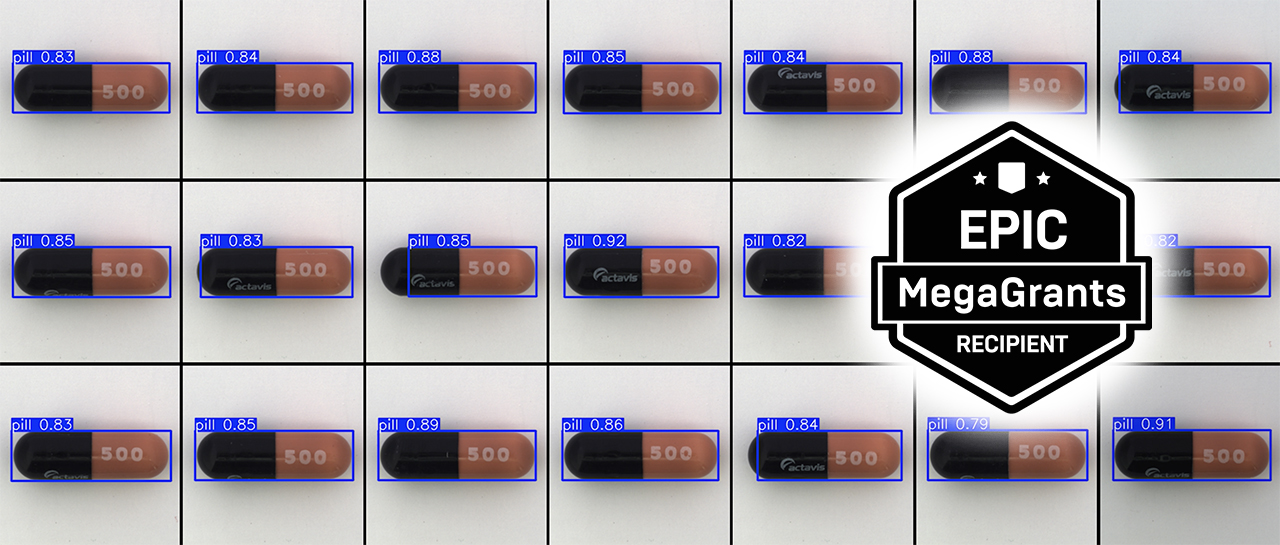
This walkthrough demo uses an early step of a pharmaceutical pill inspection scenario in which a production line runs capsules past a camera, with the goal of detecting any defects. It's a representative example of the kind of QA/QC challenge our manufacturing customers face daily. In this demo the goal is to have a YOLO vision model correctly identify pills on the conveyor belt in any typical conditions.
Using Vibe Sim, we show how we prompt the simulation to adjust conditions, identify a clear data gap, generate a new batch of labeled training data, train the model on the new data, and evaluate model output — all through a conversational interface, all in the browser. No USD editing. No 3D tooling. No interruption to any real production environment.
The result is a workflow that makes the power of Falcon's digital twin simulation accessible to the full AI team, accelerating how quickly new AI models can be brought into service.
Beyond the Production Line
The above demo provides just one example of the kind of use case Vibe Sim is being utilized in. If your team is working on a manufacturing inspection problem — or any vision AI use case with large, complex data needs — we'd love to show you what's possible.
Say hello to our solutions team:
- Email: solutions@duality.ai
- Or via our Contact Form
We want to thank the Epic Games and the MegaGrant team for supporting Duality's past and present work, which includes the partial funding for the development of Vibe Sim. We're grateful for the ongoing support Epic Games has provided to Falcon over the years, and the unwavering championing of digital twin simulation's role in solving the most challenging problems.